Charmshots editorial ·
Most dating photos need less editing than people think. A straight crop, a small lift in brightness and a clean export will fix the majority of problems. Heavier edits tend to make you look less like yourself, which is the opposite of what a profile photo is for.
This guide walks through each common edit in the order you would normally do it, explains when an edit cannot help, and ends with a quick check to run before you upload. You can do all of it on your phone's built-in editor or in the free Charmshots photo editor, which runs simple canvas operations in your browser.
Keep the original and name your versions
Before you change anything, copy the original file. Start every edit and export from that untouched copy, not from the last thing you saved. This keeps quality high and lets you undo edits.
Use three folders: originals, candidates and uploaded. Name files by scene and purpose, such as park-wide-original.jpg, park-tall-crop.jpg and park-square-avatar.jpg, rather than a run of final-final-2 copies.
- Copy the original before editing.
- Save each crop as a separate version.
- Export only the candidates you actually plan to use.
- Note which version you uploaded to which app.
Keep private photos in storage you control, especially on a shared computer. A tidy archive also makes later updates much easier.
Crop or resize: pick the right fix
Cropping changes what is in the frame. Resizing changes the pixel dimensions of the whole image. They solve different problems, so work out which one you have.
- Your face is too small because of empty background: crop.
- The framing is right but the file is too large for an upload: resize a copy.
- The app shows a tall card and your photo is landscape: crop to a portrait shape. Never squeeze the width, because that stretches your face.
The clean order is crop first, then resize the export if the destination needs it, then check the result for sharpness and proportions. The crop and resize tool offers centred square, portrait and landscape crops, so you change the shape without stretching anything. Because the crops are centred, check that your face stays comfortably inside the frame.
Leave a little space above your head and at the sides. Apps crop differently in the grid, the card and the full view, and a crop that is too tight on your hairline in one place will cut it off in another. For main-photo framing in detail, see choosing your first dating photo.
Neither cropping nor resizing creates detail the camera did not capture.
Brighten a portrait without washing out the face
A dim photo is the most common reason to edit. The risk: the brightest parts of your face, usually the forehead, nose and cheeks, lose all texture and turn flat white.
- Keep an untouched copy open to compare against.
- Raise brightness or exposure in small steps.
- After each step, look at the forehead, cheeks and any white or light clothing.
- Check the result at normal phone size, not zoomed in.
- Stop at the smallest change that makes your face easy to read.
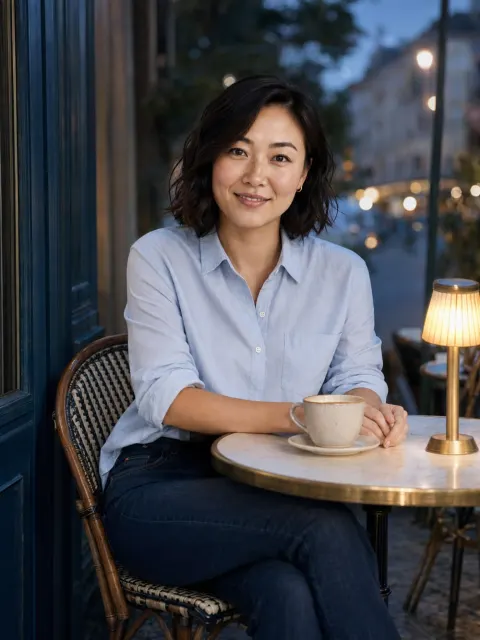
Worked example: a café portrait taken against a window is often dark on the face and bright behind. Lifting the whole image a little helps, but pushing it far blows the window out to pure white and makes the shot look processed. A small lift plus a tighter crop that removes some of the window usually works better. The light and contrast tool gives you brightness and contrast controls for exactly this kind of gentle correction, with no retouching of your features.
If the eyes are lost in shadow or the image is badly underexposed, a retake in better light will look better than any amount of brightening. The dating photo lighting guide covers simple setups that avoid the problem in the first place.
Sharpen the photo or take it again?
Sharpening makes existing edges more crisp. It cannot recover a moment the camera missed. So the question is what kind of softness you are looking at.
- Motion blur: smeared edges or doubled outlines because you or the camera moved. Retake.
- Missed focus: the background is sharp but your eyes are not. Retake.
- Heavy compression: blocky patches and smeared colour, often from a screenshot or messaging app. Find the original file.
- Slight softness in an otherwise good original: a modest sharpen may help.
Judge the original file, not a chat preview. If you do sharpen, keep it gentle and watch hair and glasses frames. Bright halos along those edges mean the edit is now more visible than the improvement.
Be wary of tools that generate new facial detail. If an enhancement invents eyelashes, teeth or skin texture, treat the result as a generated interpretation, not a restored photo. The image resizer in the Charmshots editor changes dimensions with ordinary resampling; doubling the size makes a bigger file, not new detail, so start from the sharpest source you have.
Background blur or a simple crop?
When the background is distracting, try a crop or a different camera position before reaching for blur. Artificial blur often struggles at the edges of hair, glasses and shoulders, and those smudged outlines are easy to spot.
- One object at the edge of the frame, like a bin or a stranger: crop it out.
- A bright sign behind your shoulder: crop, or retake after moving a step to the side. Blurring a bright shape still leaves a bright shape.
- The whole setting is busy: choose a different photo or reshoot somewhere simpler.
The Charmshots editor does not separate you from the background or rebuild a scene; it crops, resizes and adjusts light and contrast across the whole image. If an edit would need large parts of the picture to be invented, a new frame is the honest and better-looking fix.
Should you use a black-and-white photo?
A black-and-white photo can add variety to a set, especially a candid shot from an event or a portrait with strong window light. It works when it supports an already good photo. It works badly when it is used to hide poor light, a colour cast or an outdated look.
- Keep the colour original alongside the converted copy.
- Check that your face still has detail and is not lost in grey.
- Watch for very dark shadows around the eyes.
- Make sure your clothes do not merge with a background of the same tone.
- Use one at most, and keep your main photo in natural colour.
A whole profile of high-contrast monochrome shows less of your current appearance. Ask whether the photo is clearer and more recognisable in black and white, not whether it looks more artistic.
Keep edits consistent across your set
Consistency means believable skin and the same editing restraint across your photos. It does not mean every picture has the same filter. Daylight, indoor and evening shots should still look like different real places.
Pick one clear, lightly edited portrait as your reference for how you normally look. Then line up your set as thumbnails and compare each photo against it.
- Find the most heavily processed photo in the set.
- Reduce that edit first until it no longer looks out of place.
- Check skin tone: orange in one photo and pale in another is the real problem to fix.
- Leave natural differences in light and setting alone.
Applying one preset to every file often makes things worse, because each original starts from different light. Adjust each photo modestly from its own source. For choosing which photos belong together, see building a dating photo lineup.
How to tell when a photo is overedited
Toggle between the original and the edit, then compare both with how you look in ordinary light. Stop when the edit makes you less recognisable or the textures stop matching.
- Skin: smoothing that erases normal texture, pores and fine lines.
- Hair edges: halos or crunchy outlines from sharpening.
- Teeth and eyes: whitening that looks painted on.
- Face versus neck: a brightened face above a darker neck looks disconnected.
- Background: colour shifts that change the room more than your face.
When something looks off, reduce the strongest adjustment first rather than adding another correction on top. A dating photo does not need every line removed. The same rule applies to retouching versus generation, covered in using AI photos honestly.
Export a clean JPEG for upload
Export from the best original, keep proportions and check the result before you upload. A fresh JPEG is far better than a screenshot of a photo that has already been compressed. The Charmshots editor saves a PNG copy, which avoids an extra round of compression; check that the app accepts it, or convert it once to JPEG in your phone's photo app.
- Crop first, leaving room for the app's preview.
- Choose dimensions and quality that match the app's current upload guidance rather than an old universal preset.
- Save it with a clear name next to the original.
- Open the exported file and look at the eyes and hair.
- Upload, then check the actual preview in the app.
A very small file might look fine as a thumbnail but fall apart in a larger card. A huge file can cause upload trouble without any visible benefit. If an app rejects the file, go back to the original and export again. Do not re-save the rejected JPEG at lower quality.
Why a photo looks blurry after upload
When a photo looks sharp on your phone but soft in the app, the cause is usually what happened before the upload. Repeated screenshots, heavy cropping and several rounds of compression leave too little detail to work with.
- Open the file you uploaded at normal size. If it is already soft, the app is not the problem.
- Find the original camera file or download instead of a screenshot of a social post.
- Crop once, keeping enough resolution in the part that remains.
- Use a format the app currently accepts, then wait for processing to finish before judging.
Sharpening the same damaged copy again adds halos without fixing blur. If the source is clear and the preview is still poor, check the app's help pages. If the original is gone for good, a new clear photo is the real fix. Our guide to taking your own dating photos makes that quick.
A final quality check before you upload
A good photo can still be let down by an awkward crop or an unexpected overlay in the app. Spend two minutes on the exact file and the real preview.
- Open the exact file you plan to upload.
- Compare it with the original for colour and sharpness.
- Check clear eyes, current likeness and natural proportions.
- Look at how the app crops it and whether buttons or text cover your face.
- Save the profile, then reopen it to confirm what others see.
If the photo was generated or heavily edited, also check hands, hair and what the scene implies about you, using the AI portrait likeness checklist. Then stop. Do not zoom in on ordinary skin texture and start a new editing project. The standard is a clear, believable introduction.
Should I crop or resize my profile photo?
Crop when your face is too small or the frame includes distractions. Resize only when the framing is already right but the file is too large. Crop first, then resize the export, and never stretch one side to fit a shape.
Can sharpening fix a blurry dating photo?
Only slightly soft photos benefit from gentle sharpening. Motion blur or missed focus cannot be recovered, and strong sharpening adds halos around hair and glasses. Find the original file or retake the photo in better light.
Why does my photo look worse after uploading it to a dating app?
Usually the file was already compressed by screenshots or messaging apps before upload. Export a fresh JPEG from the original, crop once, and check the app's preview after processing finishes.
Is it fine to use a filter on dating photos?
A light, consistent touch is fine. Avoid filters that change your skin tone, smooth away texture or make one photo look very different from the rest. If people would not recognise you from it, reduce the edit.
Should my main dating photo be black and white?
Usually not. Keep the main photo in natural colour so people see your current appearance. One black-and-white candid can add variety further down the set if your face still has clear detail.