Charmshots.

The Charmshots journal

Field notes for a better frame.

Small, useful decisions about photographs. No secret formulas, invented tests or promises about your match count.

Start here

01 / The profile edit

Build a dating photo lineup with a little more range

Give each picture a job. A clear introduction, some everyday context and a detail someone can ask about make a useful starting point.

Read the field note ↗
02 / Small decisions

Choose your first dating photo without overthinking it

Use a small-screen check, an identity check and a crop check to narrow down your opening portrait.

Read the field note ↗
03 / Keeping it real

A practical boundary for using AI dating photos

Use AI to explore a photograph, then check the face, the scene and the story it tells before posting.

Read the field note ↗
04 / Before you upload

Choose source selfies that give AI less to guess

A varied set of clear, current selfies gives the portrait generator more useful information than several filtered favourites.

Read the field note ↗
05 / A photo you can take today

Take a window-light portrait in an ordinary room

Use one window, a plain background and a small change of angle to make a clearer portrait on your phone.

Read the field note ↗
06 / The details

What to wear when you want the photo to feel like you

Choose a familiar outfit, check its shape on camera and avoid turning your portrait into a costume.

Read the field note ↗
07 / Beyond dating

A work headshot that does not feel like a different person

Match the picture to the work you actually do, while keeping your expression and appearance recognisable.

Read the field note ↗
08 / The next edit

Refresh your dating photos without starting from zero

Keep what still represents you, replace the missing piece and make one clear change at a time.

Read the field note ↗

Light and location

01 / Light and location

How to take dating photos on an overcast day

Use the soft sky light and choose a background with some depth. An overcast day can simplify harsh shadows, but a flat grey scene still needs deliberate framing.

Read the field note ↗
02 / Light and location

How to take a clear portrait in midday sun

Move into open shade and keep your face turned towards a bright open area.

Read the field note ↗
03 / Light and location

How to take a backlit portrait with a phone

Keep the bright background under control and expose for a readable face.

Read the field note ↗
04 / Light and location

How to avoid strange skin colour in indoor portraits

Use one dominant light source where possible. Daylight mixed with warm lamps can make different parts of your face appear different colours.

Read the field note ↗
05 / Light and location

How to reduce glasses reflections in profile photos

Change the relationship between the light, glasses and camera before removing the glasses.

Read the field note ↗
06 / Light and location

How to avoid patchy shadows in outdoor portraits

Move until the light is even across your face. Small gaps between leaves can create bright patches that distract from your expression and are difficult to correct cleanly.

Read the field note ↗
07 / Light and location

How to take an indoor profile photo after dark

Find a soft, consistent light and keep the phone steady. Dim rooms can produce blur and heavy processing, so give the camera enough light before thinking about filters.

Read the field note ↗
08 / Light and location

How coloured walls affect your portrait

A strongly coloured wall can reflect its colour onto your face. Move farther away or change your angle if one side of your skin takes on an obvious tint.

Read the field note ↗
09 / Light and location

How to plan a short golden-hour portrait session

Choose the location and framing before the light changes. A short session works better when you already know where to stand and which two or three pictures you need.

Read the field note ↗
10 / Light and location

Best places to take a portrait in a small flat

Look for the best light and simplest background, not the largest room.

Read the field note ↗

Framing and posing

01 / Framing and posing

How to take dating portraits with a phone timer

Set the frame before you step into it and give yourself time to settle.

Read the field note ↗
02 / Framing and posing

How far should the phone be from your face for a portrait?

Move the camera far enough away that the face does not look exaggerated by a very close wide-angle view.

Read the field note ↗
03 / Framing and posing

What to do with your hands in a portrait

Give your hands a small, believable job. Resting them comfortably often looks more natural than copying an elaborate pose that does not fit you or the setting.

Read the field note ↗
04 / Framing and posing

How to take a relaxed seated dating portrait

Use a seat that lets you sit comfortably and turn slightly towards the camera.

Read the field note ↗
05 / Framing and posing

How to take a walking portrait without motion blur

Use good light, move slowly and review sharpness before taking many frames.

Read the field note ↗
06 / Framing and posing

Where to crop a portrait so it feels intentional

Choose a clear framing level rather than cutting through prominent joints by accident.

Read the field note ↗
07 / Framing and posing

How to simplify a busy portrait background

Move yourself or the camera before editing the background. A small change in angle can remove a bin, sign or bright object without altering the photograph artificially.

Read the field note ↗
08 / Framing and posing

How camera height changes a profile portrait

Start near eye level, then compare small changes. Strong high or low angles can make the photograph feel stylised and change how familiar your proportions appear.

Read the field note ↗
09 / Framing and posing

How much space should you leave around your head in a profile photo?

Leave enough room for the platform's crop without making your face too small.

Read the field note ↗
10 / Framing and posing

Candid vs posed dating photos: how to choose a useful mix

Use clear posed photographs for recognition and candid-looking moments for context.

Read the field note ↗

Clothes and expression

01 / Clothes and expression

Best outfit colours for a simple dating portrait

Choose a colour that separates you from the background and feels like something you normally wear.

Read the field note ↗
02 / Clothes and expression

Should you wear patterns in a profile photo?

Patterns can work when they remain secondary to your face. Fine, high-contrast patterns may look busy or strange after resizing, so test the actual photograph at its final viewing size.

Read the field note ↗
03 / Clothes and expression

Jacket or T-shirt for a dating photo?

Choose the outfit that fits the scene and your everyday style. A jacket can add structure; a T-shirt can feel relaxed. Neither choice compensates for uncomfortable fit or poor light.

Read the field note ↗
04 / Clothes and expression

When hats and sunglasses work in dating photos

Use a clear uncovered-face photograph as the visual anchor. Hats and sunglasses can fit an activity picture, but a whole lineup with hidden eyes makes recognition harder.

Read the field note ↗
05 / Clothes and expression

How to get a natural smile in a profile photo

Give yourself short breaks and something ordinary to respond to. Holding a smile continuously can create tension that becomes more obvious with every frame.

Read the field note ↗
06 / Clothes and expression

Can a serious expression work in a dating photo?

Yes, if it looks natural and the overall profile offers enough warmth and context.

Read the field note ↗
07 / Clothes and expression

When to update profile photos after a hairstyle change

Update the main portrait when the change affects how someone would recognise you.

Read the field note ↗
08 / Clothes and expression

How to choose profile photos after growing or shaving a beard

Lead with your current appearance. Facial hair can change recognition enough that a favourite older portrait is better used as a supporting memory or removed from the lineup.

Read the field note ↗
09 / Clothes and expression

How to choose an outfit you can relax in on camera

Choose clothing you can sit, stand and move in without repeated adjustment.

Read the field note ↗
10 / Clothes and expression

How to use accessories without distracting from your face

Keep accessories that express your normal style and remove those that dominate the small image.

Read the field note ↗

Photo ideas

01 / Photo ideas

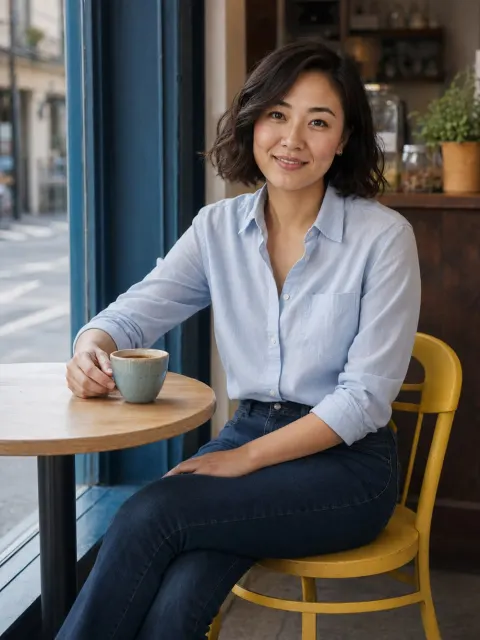
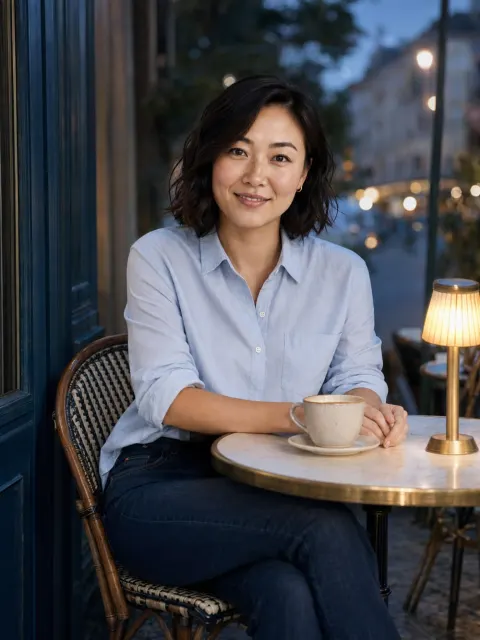
How to take a café photo that feels natural

Use the café as context for a relaxed portrait, not a collection of props.

Read the field note ↗
02 / Photo ideas

How to choose a hiking photo for a dating profile

Choose a frame that shows you clearly and gives the landscape a supporting role.

Read the field note ↗
03 / Photo ideas

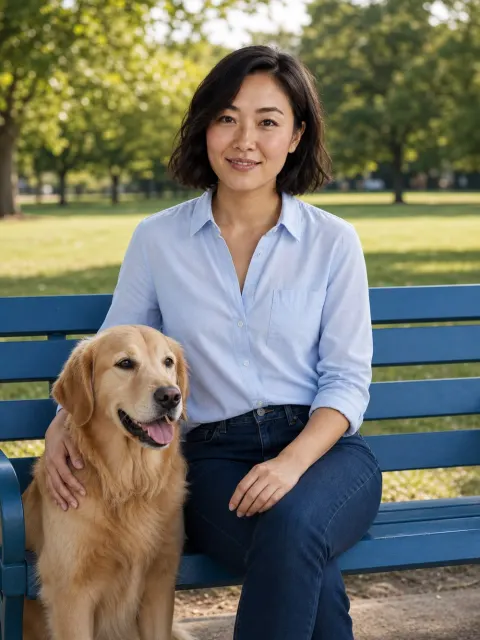
How to include a pet in a dating-profile photo

Choose a picture where both you and the animal are comfortable, and your face remains visible.

Read the field note ↗
04 / Photo ideas

How to take a cooking photo for a dating profile

Show a real activity in a tidy, safe setting. The best cooking picture explains something you enjoy without turning the kitchen into a staged advertisement.

Read the field note ↗
05 / Photo ideas

How to choose a travel photo that still shows you

Pick a photograph where you are recognisable and the location adds context.

Read the field note ↗
06 / Photo ideas

How to show a hobby in a profile photo without looking staged

Photograph an activity you actually do and choose a moment where your face is still readable.

Read the field note ↗
07 / Photo ideas

How to use a formal-event photo on a dating profile

Use a formal picture as one part of the set, provided it is recent and clearly shows you.

Read the field note ↗
08 / Photo ideas

Best portrait ideas for a rainy day

Use sheltered natural light or a simple indoor setup. You do not need to stand in the rain to make the weather part of a believable photograph.

Read the field note ↗
09 / Photo ideas

How to take a bookstore portrait respectfully

Ask or follow the shop's photography policy, keep the session brief and choose a frame that does not obstruct customers.

Read the field note ↗
10 / Photo ideas

How to get three distinct profile photos in one photo walk

Plan three different jobs: a clear portrait, an environmental picture and an activity detail.

Read the field note ↗

App photo decisions

01 / App photo decisions

How to pair Hinge photos with prompts

Let the photograph and prompt add different information. A picture can show an activity while the words explain what you enjoy about it or give someone an easy point of conversation.

Read the field note ↗
02 / App photo decisions

How to check your Tinder photo crop before publishing

Inspect the actual upload preview and keep your face away from edges that may be cropped.

Read the field note ↗
03 / App photo decisions

How to add variety to Bumble photos without changing your style

Vary the picture's job, not just the background. A clear portrait, a wider everyday scene and a real interest can give a more complete impression than several similar selfies.

Read the field note ↗
04 / App photo decisions

Why a dating-app photo looks blurry after upload

Start with the original image and compare the saved file with the app preview.

Read the field note ↗
05 / App photo decisions

How to choose one group photo for a dating profile

Use a group image only when you are easy to identify and the other people are comfortable being shown.

Read the field note ↗
06 / App photo decisions

How to take a comfortable full-length dating photo

Use a normal camera distance, comfortable posture and enough light to show you clearly.

Read the field note ↗
07 / App photo decisions

How to spot duplicate jobs in your dating-photo lineup

Two different files can still communicate the same thing. Remove repetition in expression, distance and context before adding more pictures merely to fill space.

Read the field note ↗
08 / App photo decisions

How to ask a friend for useful profile-photo feedback

Ask specific questions about recognition and clarity rather than requesting a general attractiveness verdict.

Read the field note ↗
09 / App photo decisions

How to refresh a dating profile for a new season

Replace pictures that no longer represent your appearance or current life.

Read the field note ↗
10 / App photo decisions

How to evaluate a profile-photo change sensibly

Change one clear element and keep expectations modest. Match counts are influenced by many factors, so a short before-and-after period cannot isolate the effect of a photograph reliably.

Read the field note ↗

Editing choices

01 / Editing choices

Crop vs resize: which does your profile photo need?

Cropping changes what is included in the frame. Resizing changes the output dimensions. Choose the operation that solves the actual problem instead of stretching the image to fit.

Read the field note ↗
02 / Editing choices

How to brighten a portrait without washing out the face

Make a small adjustment and watch the brightest skin areas. A brighter image is not automatically clearer if highlights lose detail and the face becomes flat.

Read the field note ↗
03 / Editing choices

Sharpen the portrait or take it again?

Retake when the eyes lack genuine detail or movement has blurred the face.

Read the field note ↗
04 / Editing choices

How to tell when a portrait has been overedited

Compare the edit with the original and with how you look in ordinary light.

Read the field note ↗
05 / Editing choices

Should you use a black-and-white dating photo?

A monochrome photograph can add variety, but keep clear colour images elsewhere in the set.

Read the field note ↗
06 / Editing choices

How to keep edited profile photos consistent

Aim for believable skin and similar editing restraint, not an identical filter on every scene.

Read the field note ↗
07 / Editing choices

How to export a JPEG for a profile photo

Export from the best original, preserve proportions and inspect the result before uploading.

Read the field note ↗
08 / Editing choices

How to prepare a portrait for a circular crop

Keep the face near the centre and allow space around the hair and shoulders.

Read the field note ↗
09 / Editing choices

Background blur or a simple crop for your portrait?

Try cropping or changing the camera position before adding blur. Blur can reduce distraction, but poor edge handling can make hair, glasses and shoulders look artificial.

Read the field note ↗
10 / Editing choices

How to organise original and edited profile photos

Keep one untouched original and clearly named exports. This prevents repeated compression and makes it easy to reverse an edit you later dislike.

Read the field note ↗

AI portrait decisions

01 / AI portrait decisions

How to check whether an AI portrait still looks like you

Compare the generated portrait with several recent originals, not just your memory of your face.

Read the field note ↗
02 / AI portrait decisions

How to review hands and small details in AI portraits

Inspect the entire frame before selecting an AI portrait. A convincing face does not make distorted hands, glasses, jewellery or background objects disappear.

Read the field note ↗
03 / AI portrait decisions

How much variety should your AI portrait references have?

Use clear current references that show your appearance consistently, with some useful variation in angle and framing.

Read the field note ↗
04 / AI portrait decisions

How to choose an AI portrait setting without inventing a lifestyle

Choose a setting that does not imply achievements, travel or relationships you have not had.

Read the field note ↗
05 / AI portrait decisions

AI-generated portrait vs retouching: what changes?

Retouching modifies an existing photograph; generation can create a new scene and new visual details.

Read the field note ↗
06 / AI portrait decisions

When should you reject an AI portrait?

Reject the image when likeness, anatomy or implied context is wrong, even if the overall finish is attractive.

Read the field note ↗
07 / AI portrait decisions

How to spot over-smoothed skin in AI portraits

Compare the face with real references at a normal viewing size and a closer view.

Read the field note ↗
08 / AI portrait decisions

How to check hair consistency across AI portraits

Compare hairstyle, hairline, length and colour across the whole generated set.

Read the field note ↗
09 / AI portrait decisions

What to check before uploading selfies to an AI portrait service

Read the service's handling of references and outputs before uploading.

Read the field note ↗
10 / AI portrait decisions

How to combine real and AI-assisted profile photos coherently

Keep your current appearance consistent and use real pictures to show actual activities and relationships.

Read the field note ↗

Alternatives and comparisons

01 / Alternatives and comparisons

Fotto alternatives: choose between portraits, edits and a photoshoot

Choose by the result you need: a newly generated portrait, a small improvement to an existing photo or real photographs from a session.

Read the field note ↗
02 / Alternatives and comparisons

Canva alternatives for a simple profile-photo edit

For cropping and basic adjustments, compare a simple local editor with a larger design suite.

Read the field note ↗
03 / Alternatives and comparisons

Adobe Express alternatives for resizing a portrait

For a single resize, compare the output requirements and convenience of the workflow.

Read the field note ↗
04 / Alternatives and comparisons

Photofeeler alternatives for getting useful photo feedback

Choose between structured external feedback and a focused review from people who know you.

Read the field note ↗
05 / Alternatives and comparisons

AI portraits vs a photographer: which fits your goal?

A photographer records you in a real session; a generator creates new visual content from references.

Read the field note ↗
06 / Alternatives and comparisons

Best dating-photo tools by task: capture, edit, generate or review

Choose a tool for the stage that needs help. A camera captures the moment, an editor adjusts a file, a generator creates new content and a feedback service evaluates candidates.

Read the field note ↗
07 / Alternatives and comparisons

Best free ways to improve a dating photo before buying a tool

Start with light, framing and selection. Those changes can improve a weak portrait without requiring a new subscription or a generated scene.

Read the field note ↗
08 / Alternatives and comparisons

Best way to compare AI portrait generators: one evaluation brief

Use the same permissioned references and a written acceptance checklist.

Read the field note ↗
09 / Alternatives and comparisons

Local vs cloud photo editing for a profile picture

Compare where the processing occurs and what the task requires. A local crop can be convenient for a simple change, while a cloud service may offer other capabilities that involve uploading the image.

Read the field note ↗
10 / Alternatives and comparisons

Selfie vs studio portrait for your profile

Either can work if the face is clear, current and recognisable. Compare the actual photographs rather than assuming a paid session is automatically better or a selfie is automatically more authentic.

Read the field note ↗

Work and professional photos

01 / Work and professional photos

How to take a LinkedIn headshot at home

Use even light, a simple background and a comfortable camera distance.

Read the field note ↗
02 / Work and professional photos

How to make team-page headshots consistent

Agree on framing, light and export treatment before taking the pictures.

Read the field note ↗
03 / Work and professional photos

How to choose a founder portrait for a website

Choose a current image that fits the page's purpose and leaves room for the actual layout.

Read the field note ↗
04 / Work and professional photos

How to prepare a speaker headshot for a media kit

Provide a current portrait, a clear filename and simple usage guidance.

Read the field note ↗
05 / Work and professional photos

How to choose a headshot for a freelance profile

Use a clear, current portrait that fits the work you offer. The image should make you recognisable across your proposal, profile and calls without implying credentials through props or costumes.

Read the field note ↗
06 / Work and professional photos

How to choose a photo for an author biography

Pick an image that remains readable beside text and is easy for publishers to crop.

Read the field note ↗
07 / Work and professional photos

Best backgrounds for a remote-work headshot

Choose a simple real setting that keeps attention on your face. A remote-work headshot does not need to display an elaborate home office to look professional.

Read the field note ↗
08 / Work and professional photos

Casual vs formal headshots: choose for the audience

Match the portrait to the people and setting where it will appear.

Read the field note ↗
09 / Work and professional photos

How to crop a website headshot for mobile layouts

Check the image in the actual layout at narrow and wide sizes. A crop that works in a desktop column may hide the face when the design changes on mobile.

Read the field note ↗
10 / Work and professional photos

When a professional headshot needs replacing

Replace it when it no longer represents your current appearance or works in the places you use it.

Read the field note ↗

Selection workflow

01 / Selection workflow

How to choose profile-photo candidates from a crowded camera roll

Make two passes: first remove unsuitable images, then compare the remaining candidates by role.

Read the field note ↗
02 / Selection workflow

How to use a contact sheet to choose profile photos

View candidates together at a similar size. A contact sheet makes repeated expressions, inconsistent edits and missing types of picture easier to notice.

Read the field note ↗
03 / Selection workflow

How to choose between two similar profile photos

Compare a few concrete details instead of reopening the entire question of how you look.

Read the field note ↗
04 / Selection workflow

A simple shot list for a short profile-photo session

Plan a clear portrait, a wider frame and one real activity. A short shot list keeps the session purposeful without making every moment feel scripted.

Read the field note ↗
05 / Selection workflow

How to plan profile photos on a small budget

Spend effort on light, a willing friend and a clear selection process before buying equipment.

Read the field note ↗
06 / Selection workflow

How to make a profile-photo session easier when you dislike cameras

Keep the session short, predictable and low-pressure. You do not need to become an enthusiastic model to obtain a clear photograph that feels like you.

Read the field note ↗
07 / Selection workflow

How to brief a friend taking your profile photos

Give your friend a clear goal and a short checklist. “A relaxed portrait with room to crop” is easier to act on than “make me look better”.

Read the field note ↗
08 / Selection workflow

How to keep profile-photo candidates private while choosing

Use an album or folder you control and check whether it is shared or automatically synced.

Read the field note ↗
09 / Selection workflow

A final quality check before uploading a profile photo

Check the actual exported file and the destination preview. A good original can still be weakened by an awkward crop, poor export or unexpected display treatment.

Read the field note ↗
10 / Selection workflow

How to keep profile photos current without constant editing

Review after meaningful changes in appearance or context, and keep a small folder of current candidates.

Read the field note ↗

Your next chapter, in pictures

Let’s find
your frame.

Create your photos ↗

Your selfies. Your style. Your call.