
Charmshots editorial ·
A Hinge profile that gets no likes is discouraging, but it is rarely a verdict on you. Far more often it is a presentation problem: a first photo that is hard to read, six pictures that all say the same thing, prompts that could belong to anyone, or preferences so tight that very few people ever see you.
This guide works through those causes in the order that tends to matter, starting with the parts you fully control. It won't promise a number of likes, because nobody honestly can, and Hinge doesn't publish exactly how it decides who sees whom. What you can do is remove the obvious reasons someone might pass, so the people who do see your profile get a fair picture of you.
First, work out what kind of quiet it is
'No matches' covers a few different situations, and each points to a different fix. Before changing anything, look honestly at the last few weeks.
Most people with a quiet profile are in the first row, and the first row is almost always about photos. That is the good news: photos are the easiest thing to change in an afternoon.
Fix your first photo before anything else
Your first photo is the one people see before they decide whether to look further. It has one job: show clearly what you look like, right now, in a way that feels approachable. A photo can be lovely and still fail at that job.
- Solo. No guessing which person you are.
- Face clearly visible. Eyes showing, no sunglasses, no cap shading half your face, no heavy shadow.
- Close enough. Roughly head and shoulders to waist up. A tiny figure in front of a view is a fine later photo and a weak opener.
- Even, soft light. Open shade or window light beats harsh overhead sun or a dim bar.
- Sharp. Your eyes should be crisp when you zoom in. Soft focus reads as old or careless.
- Recent. Same hair, same build, same face as the person who will turn up.
If none of your current photos passes all six, that is the single most useful thing to fix. The first-photo guide goes into crop and background in detail, and the lighting guide covers how to get flattering light with just a phone.

Make all six photos do different jobs
Hinge asks for six photos or videos at the time of writing (check the app for any change). Six is a lot to fill, and that is exactly where quiet profiles go wrong: three similar selfies, two group shots and one blurry holiday picture. Each slot should add something new.
Lay all six side by side. If two photos would get the same one-line description ('me at a bar', 'me in a car'), keep the better one and replace the other. The lineup guide walks through building a varied set from your camera roll.
Common photo mistakes on quiet profiles
- Every photo taken from the same arm's-length selfie angle.
- Sunglasses or hats in more than one picture.
- Group photos in the first two slots.
- Photos several years old, or with a noticeably different hairstyle or build.
- Heavy filters or beauty smoothing that make you look unlike the rest of the set.
- Dark, grainy night-out photos where you can't make out a face.
Choose photos people can reply to
On Hinge, people can like or comment on a specific photo or prompt rather than just the profile as a whole. That changes what a good photo is. Beyond looking clear, each picture is a potential opening line, so pictures with something specific in them give people an easy way in.
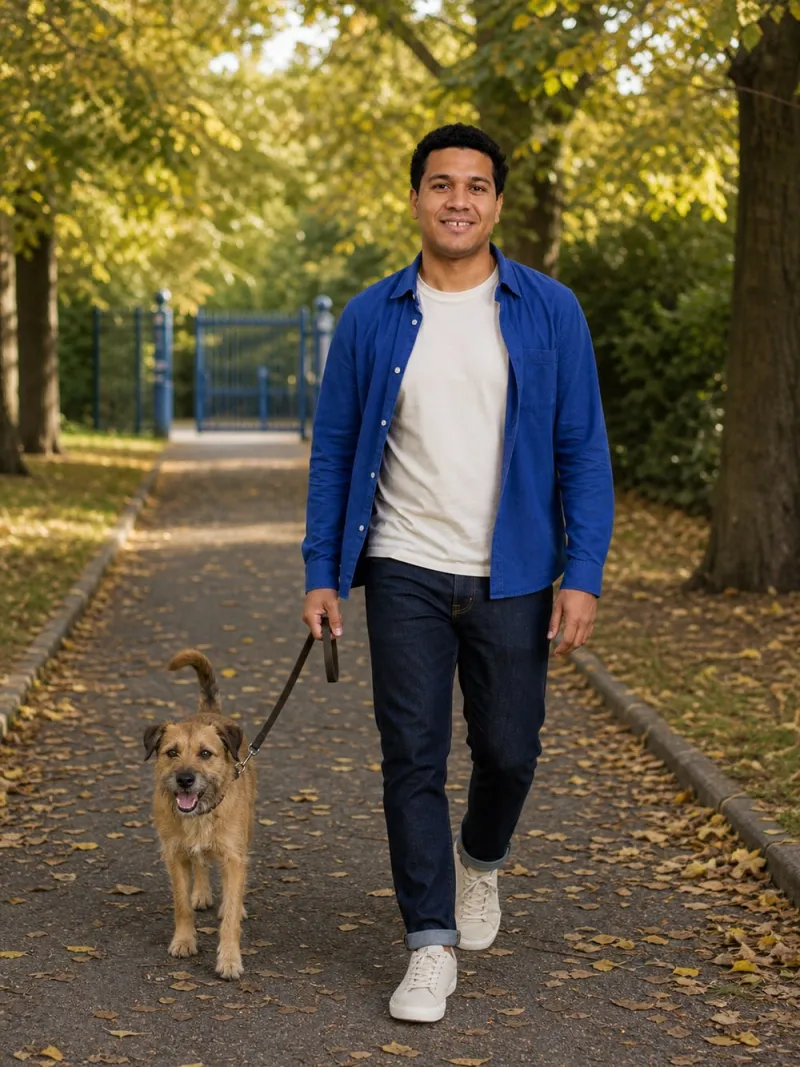
Ask of every photo: could a stranger write one friendly sentence about this? 'What did you bake?' is easy. 'Nice wall' is not. A photo of you holding a tray of cinnamon rolls, flipping through records or walking a scruffy dog hands people a question. A plain mirror selfie hands them nothing.

Only use activities you actually do. If someone asks about the bread and you have never baked, the conversation stalls immediately. For more scene ideas that suit the way Hinge presents photos, see Hinge photo ideas.
Rewrite prompts that say nothing
Prompts are where many otherwise decent profiles fall flat. Generic answers are easy to write and impossible to reply to. The fix is specificity: one true, concrete detail that a photo can't show.
These are illustrations of the shape, not lines to copy. Write your own, and check each one against three questions:
- Does it contain a detail only you would write?
- Could someone reply with a question or a joke in one line?
- Does it add something your photos don't already say?
Pair prompts with photos thoughtfully. If a photo already shows you hiking, a prompt about loving the outdoors repeats it. A line about always packing too many snacks adds warmth. The Hinge, Tinder and Bumble guide covers prompt pairing in more depth.
Check your preferences and dealbreakers
Hinge lets you set preferences such as distance and age range, and mark some of them as dealbreakers. Every dealbreaker narrows the pool of people you see and, in practice, the pool of people likely to see you. Settings chosen months ago in a different mood can quietly shrink things more than you realise.
- Distance. If you live outside a city centre, a very small radius may include few active users.
- Age range. A narrow window cuts the pool sharply. Widen it by a year or two either side and see whether that feels right.
- Dealbreakers. Keep them for things that genuinely are. Preferences that are nice-to-have can stay as preferences.
- Location. Make sure the app has your current location if you have moved or travel often.
Settings and their names change, so open the preferences screen in the app itself rather than relying on an old screenshot.
Be active, but ignore 'algorithm hacks'
Hinge describes some features, such as its daily suggestion of a potentially compatible profile, as learning from how you use the app. It doesn't publish a full explanation of how profiles are ordered, so treat any confident online claim about 'the Hinge algorithm' with scepticism. Advice about secret timings, deleting and recreating your account, or liking everything in sight is guesswork at best.
What is reasonable, as a practical matter, is to use the app the way it is designed to be used:
- Open it regularly rather than in rare bursts.
- Like profiles you are genuinely interested in, not everyone.
- Add a short, specific comment when you send a like. It gives the other person a reason to reply.
- Reply to matches reasonably promptly, and end conversations kindly when they aren't going anywhere.
If you are considering deleting and starting again, check Hinge's current terms first. You also lose any existing matches and conversations.
A two-week fix plan
Changing everything at once makes it impossible to tell what helped. Work in a sensible order and give each round a fair run.
- Day 1: audit. Screenshot your profile. Label each photo by its job and mark anything blurry, old, dark, filtered or duplicated. The free photo score tool checks face visibility, lighting, sharpness, framing and filters in your browser.
- Day 1 to 3: replace the weakest photos. New first photo if needed, then fill any missing jobs from the table above.
- Day 3: rewrite prompts. One specific detail each; nothing that repeats a photo.
- Day 3: review preferences. Loosen anything that isn't a true dealbreaker.
- Days 4 to 14: leave it alone. Use the app normally and send likes with comments. Note roughly how things feel compared with before.
- Day 14: review. If it's still quiet, change one thing, usually the first photo, and repeat.
A fortnight is long enough to see whether the profile feels different, without the false signal of judging after a single evening. The refresh guide explains how to judge a change without reading too much into a few days.
If you simply don't have good photos
Plenty of people have a camera roll full of screenshots, group shots and dim selfies. You have three realistic routes.
- Take them yourself. A phone on a timer, a window and an hour is enough for a clear portrait. The guide to taking your own dating photos has a full shot list.
- Ask a friend. Give them a short brief and go somewhere with soft light and a simple background.
- Use AI portraits for specific gaps. Charmshots turns a handful of your selfies into realistic photos of you in everyday scenes, such as a café, a farmers market or a Sunday kitchen. Pick scenes that match your real life.
If you go the AI route, keep at least a couple of recent real photos in your six, check every result looks like you, and check Hinge's current rules. The honest AI photos guide and AI photos for dating apps explain how to use them well.
Why am I not getting any likes on Hinge?
The most common fixable reasons are a first photo that is unclear, dark or not solo; several photos that say the same thing; generic prompts; and preferences set so narrowly that few people see you. Fix the photos first, then the prompts, then review your settings.
How long should I wait before changing my Hinge profile again?
Give a meaningful change around a week or two of normal use before judging it. Changing something every day makes it impossible to tell what helped, and a single quiet evening says very little.
Should I delete and remake my Hinge account to get more matches?
There is no reliable public evidence that it helps, you lose existing matches and conversations, and repeated resets may conflict with the app's terms. Improving your photos and prompts is a better use of the time. Check Hinge's current terms before doing it.
What is the best first photo for Hinge?
A recent, solo, well-lit photo where your face is clearly visible, framed roughly from the waist or chest up, with a simple background. Save wide scenery, group shots and sunglasses for later slots.
Do Hinge prompts matter as much as photos?
Photos usually decide whether someone looks further, and prompts help decide whether they reply. A specific, true prompt gives people an easy way to start a conversation; a generic one gives them nothing to respond to.
Can I use AI photos on Hinge?
Check Hinge's current guidelines in the app, as rules change. If you use any, keep recent real photos in your profile, make sure every image clearly looks like you now, avoid scenes that imply a life you don't have, and never use them for verification.