Charmshots editorial ·
If Tinder has gone quiet, it is tempting to blame the app, the area or the time of year. Sometimes those play a part. But the part you can actually change, today, is what people see in the second or two they spend on your card. On Tinder that is mostly your photos, and above all the first one.
This guide covers the practical fixes in order of impact: the first photo, the crop, the rest of the set, the bio and your settings. It doesn't promise a number of matches, and it doesn't pretend to know how Tinder ranks profiles; the company doesn't publish a full explanation. It focuses on making your profile clear, current and easy to say yes to.
Why photos matter even more on Tinder
Tinder has traditionally centred on a card where your photo fills most of the screen and people tap or swipe through quickly. Text sits underneath or on top, and many people decide before reading it. That makes Tinder less forgiving than apps where photos are mixed with prompts: a photo has to explain itself with no help.
In practice that means two things. Your first photo needs to be readable almost instantly, and every following photo should be different enough that someone tapping quickly notices a change. Layouts change, so open your own profile preview and judge what you actually see.
Make the first photo readable in a glance
Imagine your first photo shown small, on a bright screen, for one second. Could a stranger tell what you look like and roughly what sort of person you are? If not, it needs replacing.
- Solo, and obviously you. Never a group photo, never a photo where someone else is more prominent.
- Face large enough. Roughly chest or waist up. A distant figure on a cliff edge is a later photo.
- Eyes visible. No sunglasses, no deep cap shadow.
- Soft, even light. Open shade, an overcast day or a window to the side. Avoid harsh midday sun and dim indoor lighting.
- Simple background. A busy scene competes with your face at small sizes.
- A natural expression. A relaxed smile or an easy, warm look. Forced grins and blank stares both read badly.
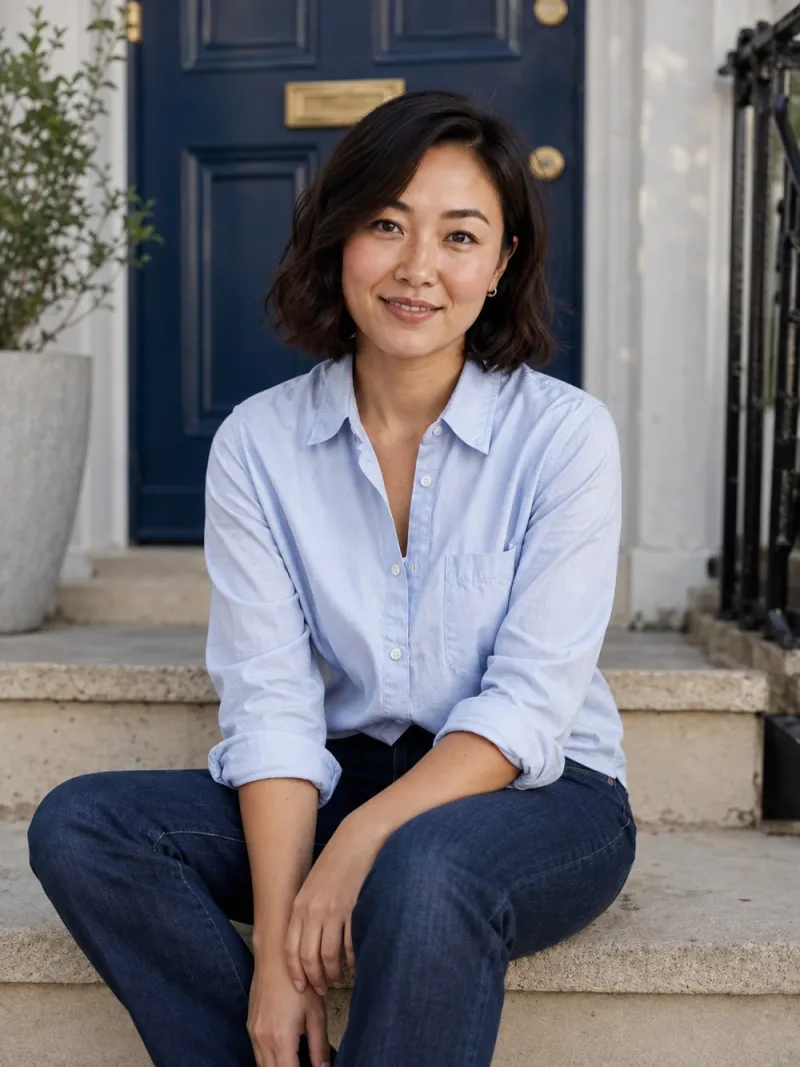
For a deeper look at crop, background and expression, see choosing your first dating photo.
Check the crop and the overlays
A photo that looks fine in your camera roll can look cramped on a Tinder card. The app fits your picture into its own frame and lays your name, age and other details over part of it. A face that sits low in the frame can end up partly covered.
- Upload the original, full-quality file, not a screenshot or a version you have already cropped tightly.
- Leave room above your head and around your shoulders.
- Open your profile preview and check the top of your hair, both sides of your face and your hands.
- Look at where the text overlay lands. If it covers your chin or mouth, recrop or choose another photo.
- Check every photo, not just the first.
Never stretch a landscape picture to fill a portrait card. Pick a better crop or a different photo. The free crop and resize tool works in your browser if you need to prepare a version, and the app tips guide has a fuller checklist.
Make every other photo look different at a glance
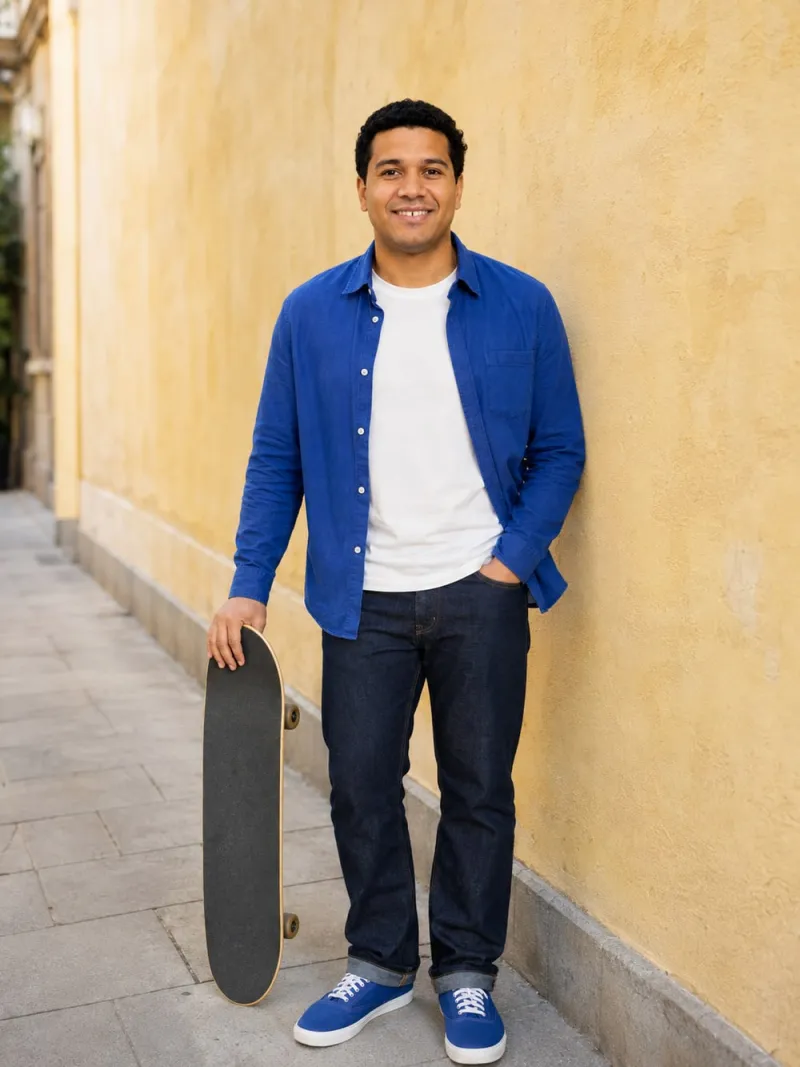
When people tap through quickly, small differences disappear. Two photos in different shirts against similar walls look identical at speed. Aim for photos that differ in distance, setting and mood, so each tap shows something new.
A smaller set of strong photos beats a full set with weak ones. If a picture doesn't add anything, leave it out. Check Tinder's current minimum and maximum in the app.
Photos that commonly hold a Tinder profile back
- Car selfies and bathroom mirror selfies as the main photos.
- More than one photo with sunglasses.
- Group photos where people have to work out which one you are.
- Photos with someone cropped out, leaving an arm or shoulder in frame.
- Heavily filtered or beauty-smoothed photos that don't match the rest of the set.
- Screenshots, low-resolution images or photos clearly years old.
Photo order and Smart Photos
Tinder offers a feature it calls Smart Photos, which it describes as testing the order of your photos and showing the one it finds performs best first. If you use it, every photo needs to be good enough to lead, because any of them might. If you prefer to control the order yourself, turn it off and put your clearest portrait first. Check the app's help pages for how the feature currently works.
Write a short bio that gives people something to say
Many people decide on photos alone, but a bio still matters for the ones who read it and for starting a conversation after you match. Keep it short and specific.
- One or two concrete details. 'Currently trying to cook every recipe in one cookbook, badly' beats 'I love food'.
- Something easy to ask about. A place, a habit, a mild opinion.
- No list of demands. A wall of 'no time-wasters' and 'must be over six foot' reads as tired rather than selective.
- No social handles as a substitute for a bio. People want a reason to talk to you here.
Then make sure the photos and bio agree. If the bio talks about weekend markets, a photo at a market makes it feel real. Browse Tinder photo ideas for scenes that pair well with a short bio.
Review your settings
Tinder lets you set a maximum distance and an age range, among other options. Narrow settings shrink the pool of people you see, and a setting you chose long ago may not reflect what you want now.
- Widen the distance a little if you live outside a city centre.
- Widen the age range by a year or two either side and see whether it feels right.
- Make sure your location is current if you have moved.
- Check whether you have hidden your profile or paused discovery without meaning to.
Settings names and options change, so open the settings screen in the app rather than following an old screenshot.
Resets, boosts and other shortcuts
You will find lots of confident advice online about resetting your account, swiping at particular times or paying for visibility features. Tinder doesn't publish exactly how it orders profiles, so most of these claims are guesswork.
- Deleting and recreating your account loses your matches and conversations, and repeated resets may conflict with Tinder's terms. Read the current terms first.
- Paid visibility features put your profile in front of more people for a while. If the photos are weak, more people see weak photos. Fix the profile before spending money.
- Swiping right on everyone fills your matches with people you aren't interested in and doesn't make your profile any better.
Using the app normally and regularly, replying to matches and being selective about who you like is the sensible baseline. Beyond that, your photos are the lever.
If you match but conversations go nowhere
Sometimes the problem isn't matching at all; it's that matches sit in the list and nothing happens. That points less at your first photo and more at what the rest of the profile gives people to work with, and at how you open.
- Give them a hook. A specific detail in your bio or a photo with something in it, such as a dish you made, a record you're holding or a place you go, makes the first message easier for both of you.
- Open with something specific. A question about a detail in their photos or bio is easier to answer than 'hey'.
- Keep it light and short. One or two lines. Long first messages can feel like pressure.
- Reply reasonably promptly. Conversations tend to fade when days pass between messages.
- Suggest meeting when it feels natural. A long, aimless chat often fizzles.
If you notice the same pattern again and again, look at your photos from a stranger's point of view: is there anything in them to talk about? A set made only of portraits against plain walls is clear, but it doesn't give anyone an easy first line. Swapping one of them for an activity or a setting you genuinely enjoy can help.

A simple fix plan
- Audit. Screenshot your profile card and each photo. Run your photos through the free photo score tool, which checks face visibility, lighting, sharpness, framing and filters privately in your browser.
- Replace the first photo if it fails any of the first-photo checks.
- Cut duplicates and fill missing jobs: full-length, activity, social.
- Check every crop in the live preview.
- Rewrite the bio with one or two specific details.
- Review settings.
- Wait a week or two before judging, then change one thing at a time.

If you don't have photos that pass
Most people's camera rolls are full of group shots and screenshots. You can take better photos yourself with a phone on a timer and decent light; the guide to taking your own dating photos has a full shot list. Or ask a friend for an hour on a bright, overcast afternoon.
Another option is AI portraits. Charmshots turns a few of your selfies into realistic photos of you in everyday scenes, such as a neighbourhood stoop, a walk home or a rooftop evening. Use them to fill specific gaps, keep recent real photos in your profile, check every result looks like you, and check Tinder's current rules. AI photos for dating apps explains how it works, and the honest AI photos guide covers where they fit.
Why am I getting no matches on Tinder?
The most common fixable causes are a first photo that is unclear, distant, dark or not solo; several photos that look the same at a glance; poor crops; and narrow distance or age settings. Fix the first photo first, because on Tinder it does most of the work.
What makes a good first photo on Tinder?
A recent, solo, sharp photo with your face clearly visible, framed roughly from the chest or waist up, in soft light against a simple background. It should be readable in about a second at small size.
Does resetting my Tinder account help?
There is no reliable public evidence that it does, you lose existing matches and conversations, and repeated resets may run against Tinder's terms. Improving your photos is a more dependable use of time. Read the current terms before deleting anything.
Should I pay for boosts if I'm not getting matches?
Fix the profile first. Paid visibility features show your profile to more people for a time; if the photos are weak, that simply means more people see weak photos.
How many photos should I have on Tinder?
Check the app for its current limits. Use as many as add something new, typically a clear portrait, a full-length shot, an activity and a social photo, and leave out filler pictures that repeat what earlier photos show.
Can I use AI photos on Tinder?
Check Tinder's current community guidelines in the app, because rules change. If you use any, make sure they clearly look like you now, keep recent real photos in the profile, avoid scenes that imply a life you don't have and never use them for verification.